
I can’t sign in
What to check when sign-in fails, for Google, Apple, or email and password. How to reset a forgotten password, then the basics.
On this page
If you can’t get into your account, start with the way you signed in the first time, because a different way in can lead to a different account. Then go through the basics at the end.
Check how you signed in
On the sign-in page, the way you used last time carries a small Last used tab, on a device you have signed in on before. Use that same one again. If the page says An account already exists for this email, opened another way. Try one of the other ways in., the account was opened with a different one.
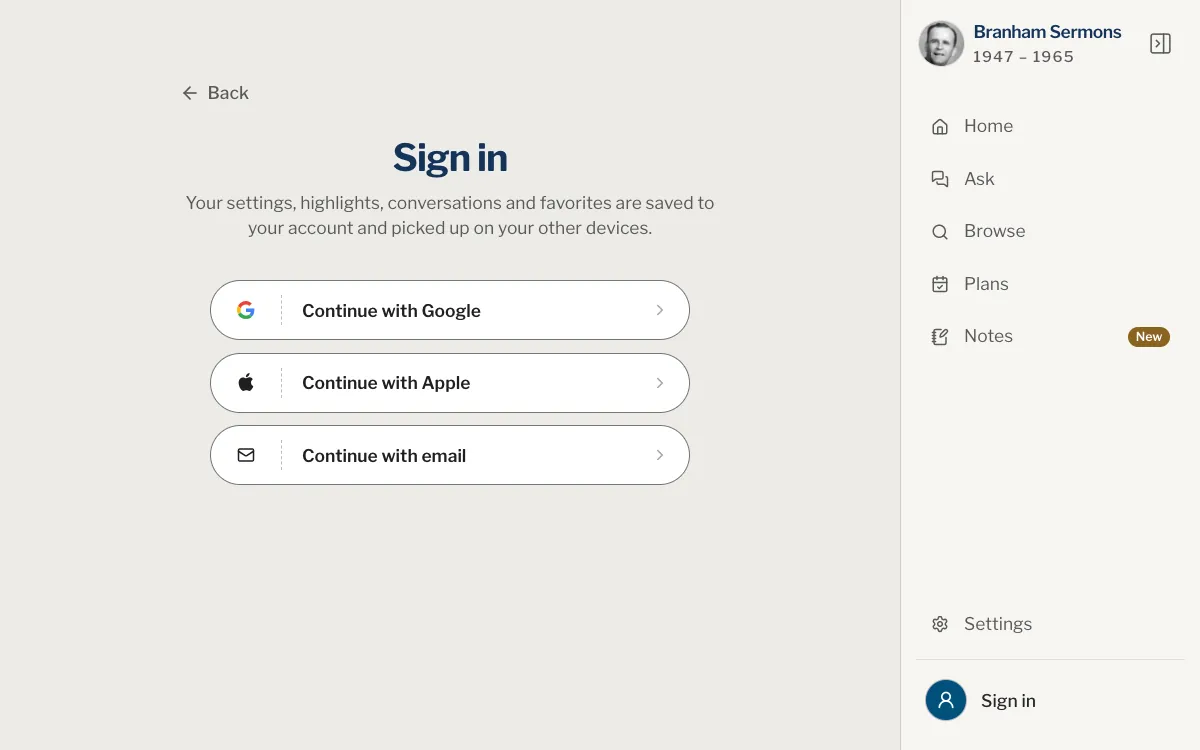
- Choose Continue with Google and the Google account you first signed in with. With several accounts on one device, it is easy to pick another.
- Google keeps its own password. If you forgot it, recover it with Google: our reset link is for accounts opened with an email and a password.
Apple
- Choose Continue with Apple and sign in with the Apple ID you first used.
- If you chose Hide My Email on Apple’s sheet, your account address is a private one that ends in privaterelay.appleid.com. It is not your own address, so signing in another way with your real address opens a different account.
Email and password
- Check the address for typing mistakes: Incorrect email or password. appears for a wrong address as well as for a wrong password.
- Use the eye beside the password (Show password) to see what you typed, and look for capital letters and extra spaces.
- Still not working? Reset the password, as below.
Reset a forgotten password
This is for accounts opened with an email and a password.
Web
- Open the sign-in page and choose Continue with email.
- Choose Forgot your password?, type your address and choose Send reset link.
- The page answers If an account exists for that address, an email is on its way.
- Open the message called Reset your password from Branham Sermons and follow its link.
- Type a new password twice, at least 8 characters, and choose Change password.
- When you see Password changed. You can sign in now., sign in with the new password.
App
- Open the You tab and tap Sign in, or open Help, then Sign-in and password.
- Tap Continue with email, then Forgot your password?, type your address and tap Send reset link.
- The app answers If an account exists for that address, an email is on its way.
- Open the message called Reset your password from Branham Sermons and tap its link.
- Type a new password twice, at least 8 characters, and tap Change password.
- When you see Password changed. You can sign in now., sign in with the new password.
The answer is the same whether or not the address has an account, so a typing mistake looks like success. If nothing arrives after a few minutes, check the spelling of the address and your spam folder.
Other things to check
- Your connection. If No internet connection appears, wait for Connection restored and try again.
- Too many attempts. Try again later. means wait a while before the next try.
- On the website, if you came from a link inside another app, open the site in your usual browser: a sign-in window can be blocked there.
- An address that is not confirmed can still sign in, but nothing you keep is saved until it is. See Confirm your email address.
- Keep the app and your browser up to date. See Update the app.
Still stuck? Write to us and tell us how you sign in (Google, Apple or email), the message you see and your device. Never send your password. Contact support lists what else helps.
I never got the reset email.
The page answers the same whether or not the address has an account. Check the spelling, look in your spam folder, and remember that the link is for accounts opened with an email and a password. Give it a few minutes before asking again.
It says an account already exists for this email.
Sign in instead of creating a new account. If the message adds opened another way, use the other way in, Google or Apple, that you used when you created it.
I signed in but my library is empty.
You may be in a different account, for example after choosing another way in or using Apple’s private address. See Something is missing from my library.
Can I change the email address of my account?
There is no setting for it. If you typed the address wrongly, see Confirm your email address; otherwise write to us.
Do you need my password to help me?
Never. We never need your password, so please don’t send it.
Was this article helpful?
Still stuck?
Write to us with what you were doing and what you saw, and we will help.
Related articles
- Confirm your email addressWhy an address is confirmed, what the message looks like, what to do when it doesn’t arrive, and what works until you have confirmed it.
- Create an account and sign inWhat you can do without an account, what an account keeps, how to sign in with Google, Apple or email, and how to sign out.
- Contact supportHow to write to us from the website or the app, the subjects the form offers, what to include so we can help quickly, and how to report a mistake in a text.