
Reminders and notifications
Turn on the quote of the day, the evening reminder and reading plan reminders in the app or on the website, allow notifications, and see what the bell on Home is for.
On this page
You can ask for three kinds of reminder, in the app and on the website, each with its own switch and time: the quote of the day, an evening reminder, and a reminder for each reading plan you follow.
The three reminders
| Reminder | What you receive | When |
|---|---|---|
| Quote of the day | A notification titled Quote of the day, with the sermon and paragraph under it and the passage as its text. Tap it to open the day’s quotes full screen. | Every day, at the time you choose. |
| Evening reminder | A short message to take a moment with the Word. Its words follow your day streak. | At the time you choose, and only on a day you have not opened the app. On the website, only on a day you have not opened the website on that device. |
| Plan reminder | The day’s reading: its day number, where it starts and how many minutes it takes. Tap it to open the plan. | At the time you choose, and only on days the reading is not done. |
Turn a reminder on or off
The quote of the day and the evening reminder are off until you turn them on. In the app, the evening reminder is also offered once on Home, after the tour, as A reminder each evening with Remind me.
Web
- Open Settings: Settings in the panel on the right, just above your photo. On a narrow screen, open the menu first.
- Choose Reminders, then turn on Evening reminder or Quote of the day.
- The first time, your browser asks whether the site may show notifications. Choose Allow.
- Use the minus and plus buttons to move the time, a quarter of an hour at a time.
- To stop a reminder, turn its switch off.
Reminders is listed only where your browser can receive notifications. On an iPhone or iPad, Safari offers them only to the website added to the Home Screen: open it from there to find Reminders.
App
- Open Settings: on iPhone, the You tab and the gear; on iPad and Mac, Settings in the sidebar.
- Under Reminders, turn on Quote of the day or Evening reminder.
- The first time, your phone asks whether Branham Sermons may send you notifications. Choose Allow.
- Use the minus and plus buttons to move the time, a quarter of an hour at a time.
- To stop a reminder, turn its switch off.
Reading plan reminders
A plan’s reminder is offered when you start the plan, and you can change it at any time.
- Open the plan from Plans.
- Tap Settings.
- Turn on Reminder.
- Choose the time with the minus and plus buttons.
Allow notifications
Web
The browser asks only once. If you closed its question without answering, the reminder’s row offers Allow notifications to ask again. If you blocked them, the row says Notifications are blocked for this site in your browser’s settings. The website cannot ask again then: allow notifications for this site in your browser’s own settings, then turn the reminder on again.
App
The phone asks only once. If you chose not to allow notifications, or turned them off later, the reminder’s row says so. It offers Allow notifications when the app can still ask, and Open settings when only the phone’s own settings can change it.
- Tap Open settings in the reminder’s row, or open the phone’s own Settings app and choose Branham Sermons.
- Choose Notifications.
- Turn on Allow Notifications.
- Come back to the app. The reminder is ready.
What the bell on Home is
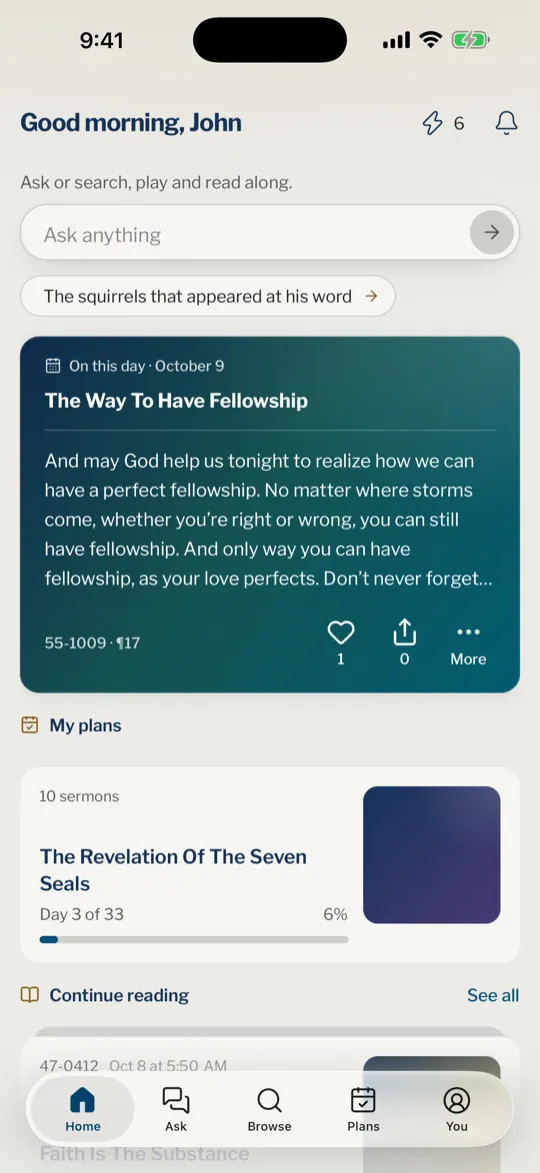
The bell at the top right of Home is not where reminders are set. It opens Notifications, the list of badges you have earned, with a dot while one is new. The website’s Home has the same bell. See Activity and badges.
Why do I not get the quote of the day?
Check that Quote of the day is on under Reminders in Settings, that notifications are allowed for Branham Sermons in the phone’s own settings, or for the site in your browser’s settings, and that you have opened the app or the website in the last couple of weeks.
Can I get reminders on the website?
Yes. Open Settings, then Reminders, and allow notifications when your browser asks. A plan’s Reminder is in the plan’s settings. On an iPhone or iPad, add the website to the Home Screen first: Safari offers notifications only there.
Can I change the time?
Yes. When a reminder is on, a minus and a plus button under its switch move the time a quarter of an hour at a time.
Why did the evening reminder not come?
It is sent only on a day you have not opened the app, or, on the website, a day you have not opened the website on that device. If you opened it that day, it stays quiet.
How do I stop every reminder?
Turn off Quote of the day and Evening reminder in Settings, and each plan’s Reminder in the plan’s settings. Or turn notifications off for the app in the phone’s own settings, or for the site in your browser’s settings.
Was this article helpful?
Still stuck?
Write to us with what you were doing and what you saw, and we will help.
Related articles
- Follow a plan day by dayOpen each day’s reading, stop where it ends, mark it read and move on, and change language, time or reading mode without losing your place.
- Your streak, activity and badgesSee your day streak, the days you were active, and the badges you earn for asking, highlighting, writing notes, starring sermons, listening and following plans.
- Settings: where they are and what they doOpen Settings on the website or in the app, and see what each setting changes: appearance, languages, reminders, the sermons kept on your device, and where Help is.