
Get the app for iPhone, iPad, Mac, Android and Windows
The Branham Sermons app is on the App Store for iPhone, iPad and Mac, on Google Play for Android, and on the Microsoft Store for Windows. The website does the same in any browser, with the same account.
On this page
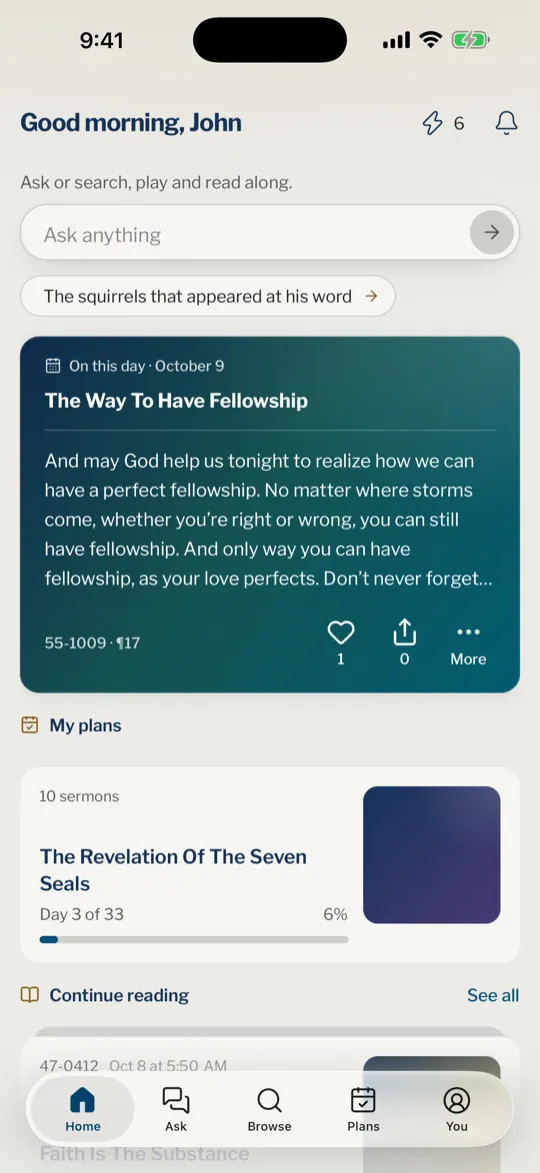
Branham Sermons has an app for iPhone, iPad, Mac, Android and Windows, and a website that works in any browser. Both give you the same sermons, the same search and the same account, so use whichever suits the device in your hand.
Install the app
- Open the Branham Sermons page on the App Store on your iPhone, iPad or Mac, or search the App Store for Branham Sermons.
- Download the app with the button on that page.
- Open it. The first time, a short tour shows you around.
- Sign in with the account you use on the website, or create one.
On iPad and Mac
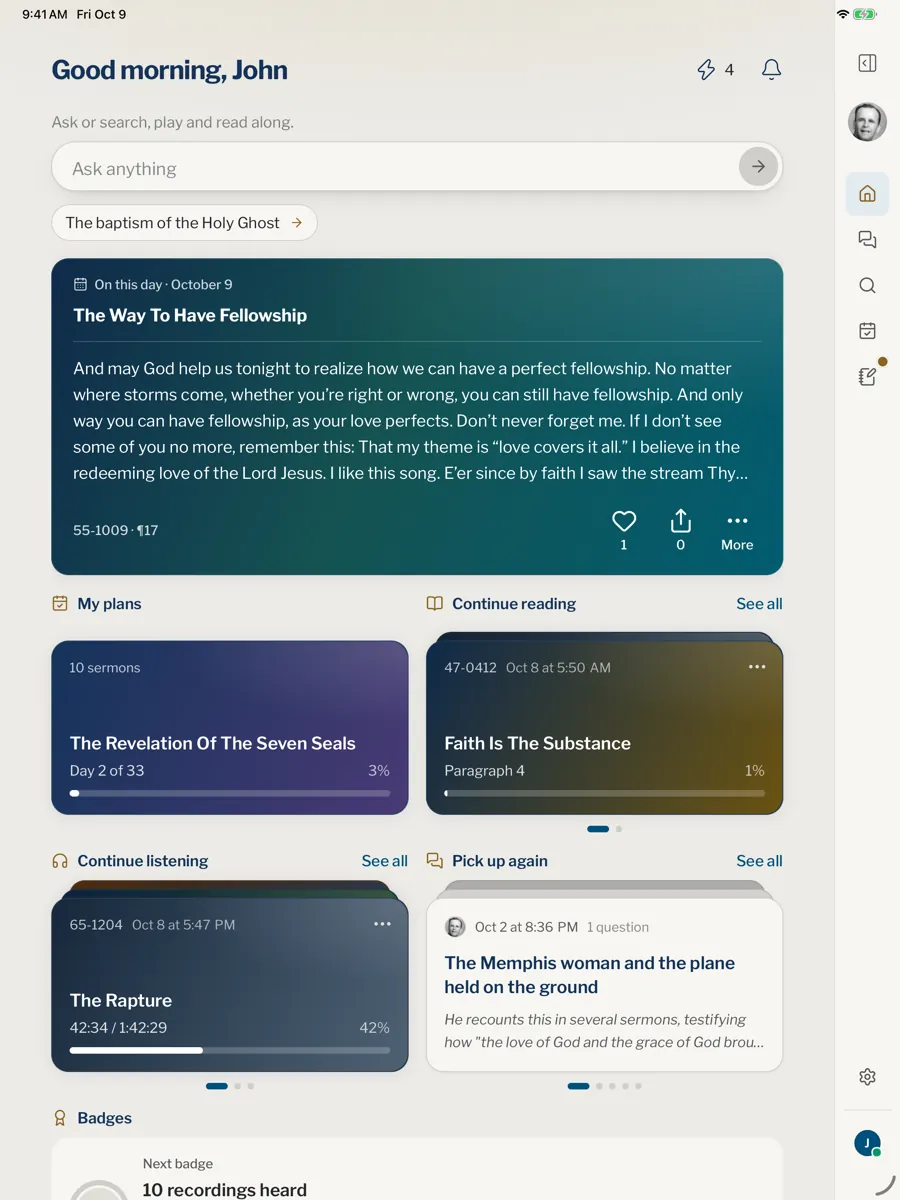
The iPad app uses the width of the screen: the sidebar stays beside the page, and lists open next to the sermon you are reading. On a Mac with Apple silicon, the same iPad app runs in a window of its own; install it from the App Store on the Mac.
On Android
On an Android phone or tablet, open the Branham Sermons page on Google Play, or search Google Play for Branham Sermons, and tap Install. It needs Android 7.0 or later. The Android app has the same tabs and pages as the iPhone app, so the steps this help center gives for iPhone work on an Android phone too.
On Windows
On a Windows computer, open the Branham Sermons page on the Microsoft Store, or search the Microsoft Store for Branham Sermons, and choose Get. The Windows app is the website in a window of its own, with its own place in Start and on the taskbar, and it is always as up to date as the website. It needs Windows 10 version 2004 or later.
The website
The website works in any current browser, on a computer, a tablet or a phone, and is made to feel like an app: the menu is where you would expect it, a sermon fills the screen, and the page does not zoom when you tap a text box.
The Open the app button in the top bar of the site opens the web version in a new tab. If the app is installed on your iPhone or iPad, it opens the app on Home instead.
Website or app
Both read the same sermons and share your account: your library, conversations, plans and settings follow you from one to the other. What differs is what the device itself can do.
| What you do | Website | App |
|---|---|---|
| Ask, search, read, highlight and follow plans | Yes | Yes |
| Read sermons with no connection | Yes, once you keep them on the device in Settings | Yes, with the offline library |
| Keep recordings to hear offline | Saves the file to your device | Yes, in Downloads |
| Reminders for a plan, the quote of the day and the evening | Yes, where the browser can receive notifications | Yes |
| Updates | Automatic | Through the App Store or Google Play; on Windows, with the website |
| Runs on | Any current browser | iPhone, iPad, Mac, Android and Windows |
Is there an app for Android or Windows?
Yes, for both. The Android app is on Google Play and the Windows app on the Microsoft Store.
Can I install it on a Mac?
Yes, on a Mac with Apple silicon: it runs the iPad app in a window. A Mac with an Intel chip cannot run iPad apps, so use the website there. Supported devices gives the macOS version.
Do I need the app, or is the website enough?
The website is enough to ask, search, read, listen and keep your library, and it can also keep the sermons to read without a connection and send reminders. The app adds recordings kept inside it to hear without a connection.
I tapped Open the app and the website opened. Why?
The button opens the app only on an iPhone or iPad that has it installed. Anywhere else it opens the website, which you can use as it is, or you can install the app from your device’s store.
A message on the website asks if I want the app. Can I say no?
Yes. Choose Continue on the web and the site goes on as before. It does not ask again in that browser.
Was this article helpful?
Still stuck?
Write to us with what you were doing and what you saw, and we will help.
Related articles
- Supported devices, browsers and what you needWhich iOS, iPadOS, macOS and Android versions the app needs, which browsers the website supports, and what needs an internet connection.
- Update the app and check your versionHow updates reach your phone, tablet or Mac, what the update card says, where to see your version, and what to do if something broke after an update.
- Download the sermons and read without a connectionDownload whole languages in the app’s Settings, or your main language on the website, to read without internet, and see what still needs a connection.